It’s a pretty common thing on blogs these days to post up topics along the lines of “[X] Applications you NEED on your Mac”. I get the reasoning behind the idea of it, as well as other list style posts, but I’ve always decided to stay away from them on my own site because this is a place for me to talk about what I do and how I do it. Whilst I do post up links to stuff I find interesting, it is always things I find to be unique or different, not a list of things for you to look over.
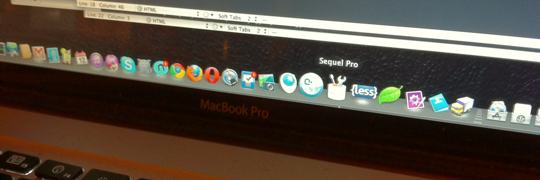
To that end what I’m writing about is going to be something of a list. It’s not the stuff you need but takes a look at the tools I use to do the jobs I do, the software I use to get things done. There are some sites that do this kind of thing as a regular thing, such as on Grace Smith’s Blog, which is pretty much where I got the idea for this post from.
When it comes to web design, the actual design is only one aspect of the project. After all what is the point in having a web site if nobody ever sees it? This is where Search Engine Optimisation, or SEO, comes in. SEO covers a series of things that can, and should, be taken under consideration when publishing a site. A lot of things covered are pretty common sense or are easy to implement in a site.
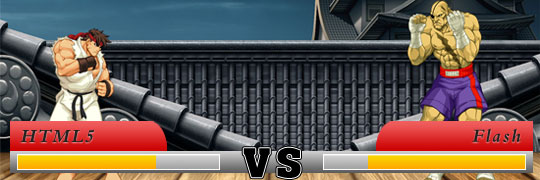
For quite some time now there’s been this whole spiel going on about how it’s HTML5 vs Flash in a battle to the death. About how HTML5 is going to kill Flash, that Flash is on the way out. That there’s no reason to rely on Flash for X, Y and Z. I’m going to post my own thoughts on the topic, so bear in mind that what I’m saying here is my own opinion and is, by and large, completely unsupported by anything even remotely close to facts.
CSS is an important part of any web design. Without it the content of you site would be a very plain looking black and white design, with blue links. It’s not that it isn’t usable but that it’s not very visually appealing, which is why CSS is so important. It affords people the ability to provide a unique and visually moving site design.
I’ve finally published Part 3 of my “Getting to Grips with HTML5” Series over on the BGC Network. This part in the series covers the process of converting a project from XHTML to HTML5.
Why yes, yes it is. Earlier today (technically yesterday when this post goes live) I added a new section to my site. For a while now I’ve been maintaining my 365 Design Blog over on Tumblr. It’s a fantastic system for me to manage that much content both quickly and easily. Unfortunately it’s not so fantastic, in my experience, is the ability to find posts at a later date.
This particular piece of experimentation came about as a result of needing to get reacquainted with PHP’s ability to generate images. Why? I was working on an image related piece of script and, at the time, couldn’t find anything suitable. It also gave me a chance to reacquaint myself with PHP scripting for something other than handling Database Content.
I’ve decided to start revisiting some of my old 365 Design Blog pieces. I’ll be doing this for a couple of reasons. The most notable of these is to provide me with a space in which I can cover the details of the material I have been producing in a bit more detail that I have afforded elsewhere. It will also allow me to revisit some old pieces and address flaws in them, if any exist, and to update my code.